
Creating a Mil Win account is a straightforward process for users who meet the platform’s eligibility requirements. Registration allows you to create your own profile, access available account features, manage your details, and use the services provided through Mil Win. Before registering, make sure you are using the correct Mil Win website or app.
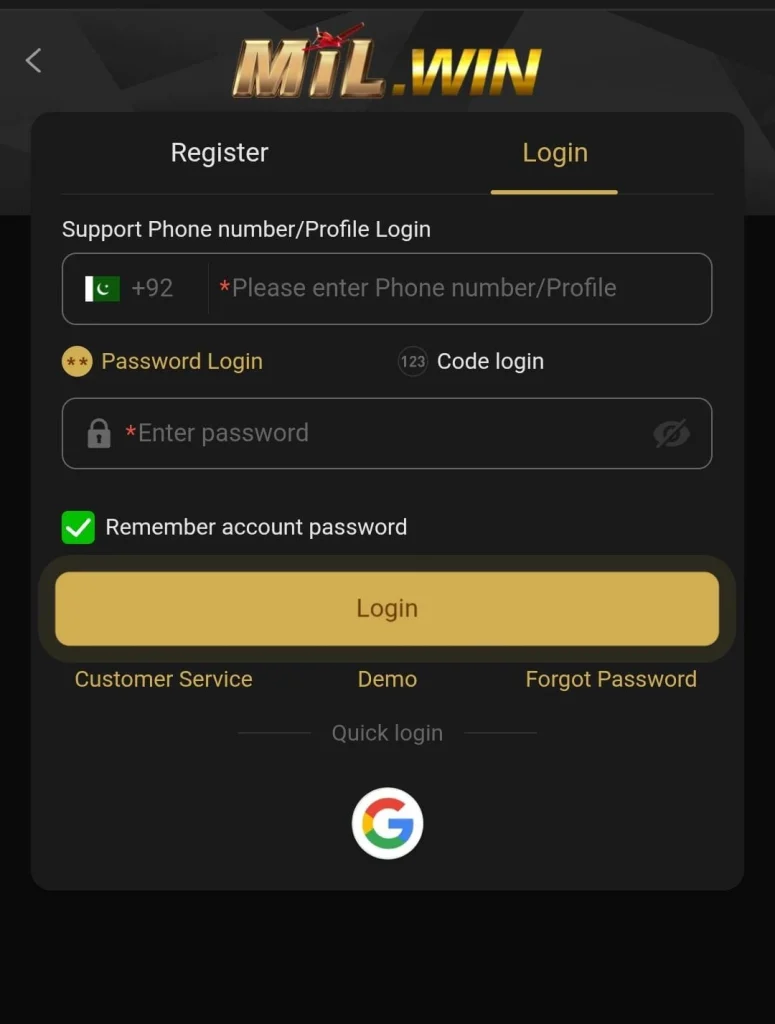
Avoid registration links shared by unknown people, unofficial agents, or suspicious websites. You should also use accurate personal information and keep your password and verification codes private. This guide explains how to register on Mil Win, complete verification, solve common registration problems, and keep your new account secure.
What Is Mil Win Registration?
Mil Win registration is the process of creating a new user account. New users normally need to provide some basic information and create secure login credentials.
Once registration is complete, you can use your registered details to log in to your account. The exact information requested during signup may change, so always follow the instructions shown on the current registration page.
How to Register on Mil Win
Follow these simple steps:
- Open the official Mil Win website or app.
- Find the Register or Sign Up button.
- Tap the registration option.
- Enter the required information carefully.
- Add your active mobile number or other requested contact details.
- Create a strong and unique password.
- Enter a referral or invitation code only if you have a valid one and the field is available.
- Read the platform’s terms and conditions.
- Complete any verification step shown on the screen.
- Review your information before submitting it.
- Tap Register, Sign Up, or Create Account to finish.
After successful registration, you can log in using the credentials you created.
Information You May Need for Registration
Depending on the current sign-up process, Mil Win may ask for basic account information such as:
- Active mobile number
- Username or account name
- Secure password
- Verification code
- Referral code, if applicable
- Other information required by the platform
Always enter information that belongs to you. Incorrect details can create problems later when trying to verify or recover your account.
How to Create a Strong Password
Your password is one of the most important parts of account security.
For better protection:
- Use a password that is difficult to guess.
- Combine letters, numbers, and symbols where supported.
- Avoid using your name or phone number as your password.
- Do not reuse a password from another important account.
- Never share your password with another person.
- Change your password if you believe someone else has accessed it.
Save your login information somewhere secure rather than sending it through messages or sharing it with an agent.
Mil Win Verification Code
During registration, Mil Win may require a verification code to confirm your contact information.
If verification is requested:
- Check that you entered the correct mobile number or contact information.
- Wait for the verification message.
- Enter the code in the required field.
- Complete registration before the code expires.
Never share your OTP or verification code with anyone claiming to be customer support or an agent.
Mil Win Referral Code During Registration
Some users may register through an invitation or referral link. If a referral field appears during registration, you can enter a valid code provided to you. Before using a referral offer, check its current terms and eligibility requirements. A referral code does not guarantee a bonus, profit, withdrawal, or any other financial benefit. If you do not have a referral code and the field is optional, follow the instructions shown on the registration page.
Mil Win Registration Not Working
If you cannot create an account, check these common issues.
Mobile Number Already Registered
The number may already be connected to an existing account. Try logging in or use the account recovery option instead of repeatedly creating new accounts.
Verification Code Not Received
Check whether your contact information is correct. Wait a short time and request another code if the option is available.
Incorrect Registration Details
Review every field carefully and correct any missing or invalid information.
Weak or Invalid Password
Create a password that meets the requirements displayed on the registration page.
Registration Page Not Loading
Check your internet connection, refresh the page, restart the app, or try again later.
App Not Working
Make sure you are using a compatible and updated version of the app from a trusted source.
How to Keep Your Mil Win Account Safe
After creating your account, follow these security practices:
- Use only the official or verified Mil Win source.
- Keep your password private.
- Never share OTP or verification codes.
- Avoid logging in through unknown links.
- Do not give account access to third-party agents.
- Check website details before entering personal information.
- Log out when using a shared device.
- Keep your phone and browser updated.
- Contact official support if you notice suspicious activity.
Be especially careful with messages promising guaranteed bonuses, winnings, or account upgrades in exchange for your password or payment.
Already Have a Mil Win Account?
If you have already registered, you do not need to create another account. Open the Mil Win login page and enter your registered credentials. If you cannot remember your password, use the Forgot Password or account recovery option instead of opening multiple accounts.
Can You Register Mil Win on Mobile?
If registration is available through the mobile version, users can normally complete the signup process directly from a compatible smartphone.
Make sure you have:
- A stable internet connection
- Access to your active contact information
- A compatible browser or app
- Your own secure device where possible
Complete the registration process carefully and double-check all information before submitting it.
Important Safety Tips Before Registration
Before creating an account:
- Confirm that you meet the applicable age and eligibility requirements.
- Read the current terms and conditions.
- Understand that gambling can involve financial losses.
- Never register using another person’s identity or payment information.
- Avoid websites pretending to be Mil Win.
- Do not trust anyone promising guaranteed earnings.
Registration should only be completed after you understand how the platform works and the risks involved.
Frequently Asked Questions
Open the official Mil Win site, select Register, enter the required information, complete verification if requested, and submit your registration.
Check the current registration page and official terms for the latest information regarding account creation and any applicable requirements.
A valid contact method may be required depending on the current registration process.
Check your contact information, wait briefly, and request another code if the option is available.
Check the platform’s current account rules before creating additional accounts. Multiple accounts may be restricted.
Use the Forgot Password option and follow the account recovery instructions.
Never share an OTP, password, or sensitive login information unless the platform’s verified process specifically requires you to enter it securely yourself.
If a referral field is available, you may enter a valid code according to the current referral terms.
Final Words
Mil Win registration can be completed by following the signup instructions carefully and providing accurate information. Before creating an account, confirm that you are using the correct source and understand the platform’s current rules. Keep your password and verification codes private, avoid unofficial registration links, and use account recovery options if you experience login problems. Responsible account management from the beginning can help reduce security and access issues later.